Quick answer
- Plan before design starts: inventory URLs, benchmark performance and define what must carry over.
- Map redirects one-to-one and test them on staging before launch.
- On launch day, check indexability, redirects, sitemaps and analytics immediately.
- Monitor for at least eight to twelve weeks and escalate problems quickly.
Before you start: scope and risk
Identify the type of migration, whether redesign, replatform, domain change, HTTPS move or URL restructure, because each carries different risks. Involve SEO at the planning stage so decisions on URLs, templates and content are made with search in mind. Set the launch date away from key trading periods and agree who signs off each stage. Our SEO migration consultant service covers this planning.
Pre-migration checklist
Preparation determines the outcome.
- Crawl the current site and export all URLs, titles, headings, canonicals and statuses
- Collect URLs from Search Console, analytics and backlink tools
- Benchmark rankings, traffic, conversions and Core Web Vitals
- Identify the top pages by traffic, links and revenue
- Document redirect rules, hreflang, structured data and robots directives to be preserved
- Back up the existing site and keep it accessible for reference
Redirect mapping and content decisions
Map every old URL to the most relevant new URL with one-to-one 301 redirects, avoiding chains and homepage catch-alls. Decide which content to keep, merge or retire, and ensure key pages retain their content, headings and internal links on the new site. The detailed method is in 301 redirects and redirect mapping. Sign-off on the redirect map should rest with a named owner before development finalises.
Staging environment checks
Test the new site on a staging environment that is blocked from search engines. Check that templates include correct titles, meta descriptions, headings, canonicals, structured data and internal links, that JavaScript content renders, and that pages are fast. Crawl staging and compare with the benchmark, and test the redirect map against the staging build. Remember to remove the staging block at launch, since a leftover noindex is a classic cause of traffic collapse.
Launch day checklist
Work through these in order.
- Remove noindex tags and robots.txt blocks from the live site
- Deploy redirects and verify a sample of high-value URLs
- Check robots.txt, XML sitemaps and canonical tags on the live site
- Submit the new sitemap in Search Console and, for domain changes, use the change of address tool
- Confirm analytics and conversion tracking are firing
- Run a full crawl to find errors, broken links and redirect chains
- Update key external profiles and links, including Google Business Profile
Post-launch monitoring
Monitor Search Console daily at first for coverage errors, crawl statistics and indexing changes. Compare traffic and rankings with the benchmark, expecting some fluctuation, but investigate sustained drops quickly. Fix broken links, update internal links to avoid redirects and keep the redirect rules in place for at least a year. If traffic does fall unexpectedly, our SEO traffic recovery service and organic traffic drop guide show how to diagnose it.
SEO migration checklist, plan and guide: how the pieces fit
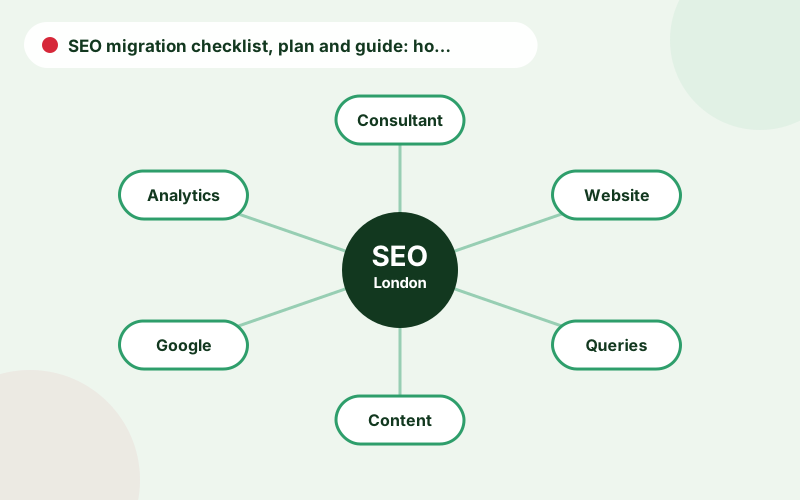
An SEO migration checklist is the working tool, an SEO migration plan is the schedule behind it and an SEO migration guide is the explanation. A site migration SEO plan should name owners and dates. An SEO site migration checklist and SEO website migration checklist can be the same document, as long as it covers each stage. If you only need an SEO checklist for website migration quickly, copy the headings above into a spreadsheet and add owners.
A website redesign SEO checklist is a lighter version, appropriate when URLs do not change but templates do. Pre launch migration checks cover inventory, benchmarks, redirects and staging tests. Post launch migration monitoring covers crawl, index and traffic checks over the following weeks, with clear thresholds for escalation.
Common migration mistakes
The mistakes that cause most damage are launching with a noindex tag, missing redirects for high-value URLs, removing content without a replacement, changing URLs with no reason and failing to monitor. Others include forgetting to update canonical tags and sitemaps, breaking structured data and losing internal links. Each can be prevented with a checklist, a named owner and a launch-day runbook.
Another frequent issue is timing. Launching during peak trading, or in a rush to meet an arbitrary date, leaves little room for testing. If the schedule is tight, reduce the scope of the change rather than the quality of the checks.
A simple timeline for a migration project
A typical schedule starts eight to twelve weeks before launch with the inventory and benchmarks. Over the following weeks, requirements are agreed, the redirect map is drafted and staging builds are reviewed. In the last two weeks, tests are repeated and the launch runbook is finalised. On launch day, checks run in the planned order, and for the next weeks monitoring is daily, then weekly. Having this timeline written down helps everyone see how SEO tasks fit with design and development.
Roles, sign-off and escalation
Agree who is responsible for each task, including developers, content owners, SEO and project management, and how problems will be escalated after launch. Keep a shared checklist and log of issues and decisions. Our technical SEO consultant team can attend release meetings and verify fixes, and you can find the full service overview on SEO consultant London.
Frequently asked questions
When should SEO be involved in a website migration?
At the planning stage, before design and development, so URL, template and content decisions are made correctly.
How long should I monitor after a migration?
At least eight to twelve weeks, with daily checks in the first week.
What is the most common migration mistake?
Missing or incorrect redirects, and leaving noindex or robots blocks in place after launch.
Do I need to keep redirects forever?
Keep them for at least a year, and permanently for URLs with valuable backlinks or traffic.
Should I change URLs during a redesign?
Only when there is a clear benefit. Keeping URLs unchanged reduces risk.
Talk to an SEO consultant
Questions about this topic or your own site? Send a few details and you will get a clear, practical reply.
Related pages
- SEO Migration ConsultantAn SEO website migration consultant to protect rankings through redesigns, replatforming and…
- SEO Guides for Business OwnersPractical SEO guides for business owners: audits, technical SEO, local SEO, content, ecommer…
- 301 Redirects and Redirect MappingA practical guide to 301 redirects for SEO: when to use them, 301 vs 302, how to map old URL…