Quick answer
- Search engines fetch HTML, render JavaScript later and then index the rendered result.
- Problems arise when key content, links or metadata appear only after scripts run, or scripts fail.
- Compare source HTML with rendered HTML and use URL Inspection to see Google’s view.
- Server-side rendering, pre-rendering or simpler templates are the most reliable fixes.
Does JavaScript affect SEO?
Yes, because rendering adds a step. Googlebot first fetches the HTML and may render the page with a headless browser later. If your content, internal links or canonical tags depend on JavaScript, they are only available after that second stage. Most of the time Google handles this well, but delays, errors and resource limits can cause content to be missed or indexed late.
Other search engines and AI crawlers may render JavaScript less capably or not at all, so critical content in plain HTML is a safer choice for broad visibility.
How rendering works for search
A simplified sequence explains where problems occur.
- Crawl: Googlebot fetches the HTML and discovers resources.
- Queue: the page waits for rendering resources.
- Render: a headless Chrome runs the JavaScript.
- Index: Google processes the rendered HTML and links.
Common JavaScript SEO problems
These issues appear again and again.
- Primary content loaded only after user interaction, such as clicks or scroll
- Internal links created with JavaScript click handlers instead of real anchor tags with href
- Metadata and canonicals changed only client-side
- Blocked JavaScript or API resources in robots.txt
- Hash-based URLs that search engines treat as one page
- Slow or failing scripts that leave the page blank for crawlers
How to test JavaScript rendering
Run these JavaScript SEO testing steps on key templates. First, view the page source and compare it with the rendered DOM from browser developer tools. Second, use the URL Inspection tool in Search Console and look at the rendered HTML and screenshot to see what Google sees. Third, crawl the site with JavaScript rendering enabled and disabled, and compare the number of internal links and indexable pages found.
If content appears in the browser but not in Google’s rendered output, you have a rendering problem to solve.

JavaScript SEO best practices
Serve critical content, headings, links and structured data in the initial HTML wherever possible. Use real links, stable URLs and the History API for navigation rather than hash fragments. Keep scripts efficient and avoid blocking resources that rendering needs. Test with your framework’s server-side rendering or static generation, which provides content as HTML to every crawler.
Does JavaScript affect SEO performance beyond indexing? Yes: heavy scripts hurt loading and responsiveness, as explained in our Core Web Vitals guide.
Frameworks and rendering options
Choose an approach that matches your needs.
| Approach | How it works | SEO consideration |
|---|---|---|
| Client-side rendering | Browser builds the page from JavaScript | Highest risk for crawlers and speed |
| Server-side rendering | Server sends complete HTML on request | Reliable; requires server capacity |
| Static generation | HTML built in advance | Fast and reliable for stable content |
| Pre-rendering or dynamic rendering | Separate HTML version for crawlers | Workaround; Google treats it as a stopgap, not a long-term approach |
What is JavaScript SEO? A plain definition
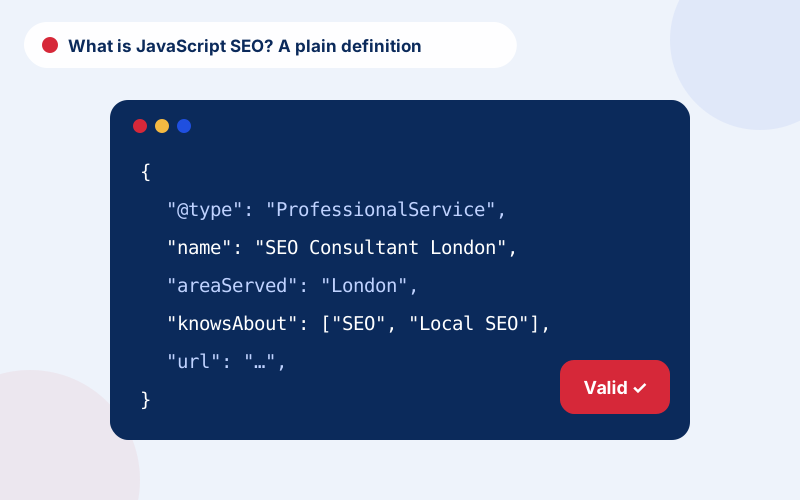
If you are asking what is JavaScript SEO, the short answer is: the practice of making JavaScript-driven pages crawlable, renderable and indexable. SEO JavaScript problems are rarely about the language itself. They are about when and how content appears. JavaScript and SEO collide when critical text or links are missing from the first response, when scripts fail, or when rendering is too slow.
JavaScript rendering SEO checks are therefore about comparing views: what the server sends, what the browser builds and what Google reports. SEO and JavaScript do work together, and plenty of well-built sites rank well. SEO for JavaScript sites simply needs more testing and closer cooperation with developers.
JavaScript SEO best practices and testing checklist
Good JavaScript SEO best practices are simple to state: server-render or pre-render important content, use real links, keep metadata in the initial HTML, and avoid blocking resources. Do the JavaScript SEO testing on a regular schedule, not only at launch, because framework updates and new components can change what bots see. SEO for JavaScript works best when developers treat crawlability as a feature with its own tests, and when marketers learn enough to ask the right questions. Does JavaScript affect SEO? Yes, but in a way you can measure and manage.
Practical steps for marketers working with developers
You do not need to read code to raise the right questions. Ask developers whether key content is in the initial HTML, whether links are standard anchors, how metadata is generated and what happens if scripts fail. Share the URL Inspection output when something looks wrong. Agree a simple test that runs before each release: fetch a sample of templates and confirm that titles, headings, canonicals and main content are present in the rendered output.
Getting specialist support
JavaScript SEO often needs developer collaboration. Our technical SEO consultant service writes specific tickets and tests builds before release, while the crawling vs indexing guide helps diagnose pages that fail to appear. A review of rendering is included in our SEO audit, and the overview of our services is on SEO consultant London.
Frequently asked questions
Can Google crawl JavaScript websites?
Yes, Google can render JavaScript, but rendering is delayed and can fail, so critical content is safer in the initial HTML.
How do I check if Google sees my JavaScript content?
Use the URL Inspection tool in Search Console to view the rendered HTML and screenshot, and compare with your browser view.
Is client-side rendering bad for SEO?
It carries more risk, especially for large sites. Server-side rendering or static generation is more reliable.
Do AI crawlers render JavaScript?
Many do not render it fully, so important content should be available in the HTML response.
Should internal links use JavaScript click handlers?
No. Use standard anchor tags with href attributes so crawlers can follow them.
Talk to an SEO consultant
Questions about this topic or your own site? Send a few details and you will get a clear, practical reply.